In today’s fast‑moving world of mobile wallets and contactless payments, more and more people ask: “Does Burger King take Apple Pay?” Whether you’re grabbing a quick burger in‑store, ordering via the app or driving through the window, the convenience of tapping your iPhone or Apple Watch instead of digging out a card is major.
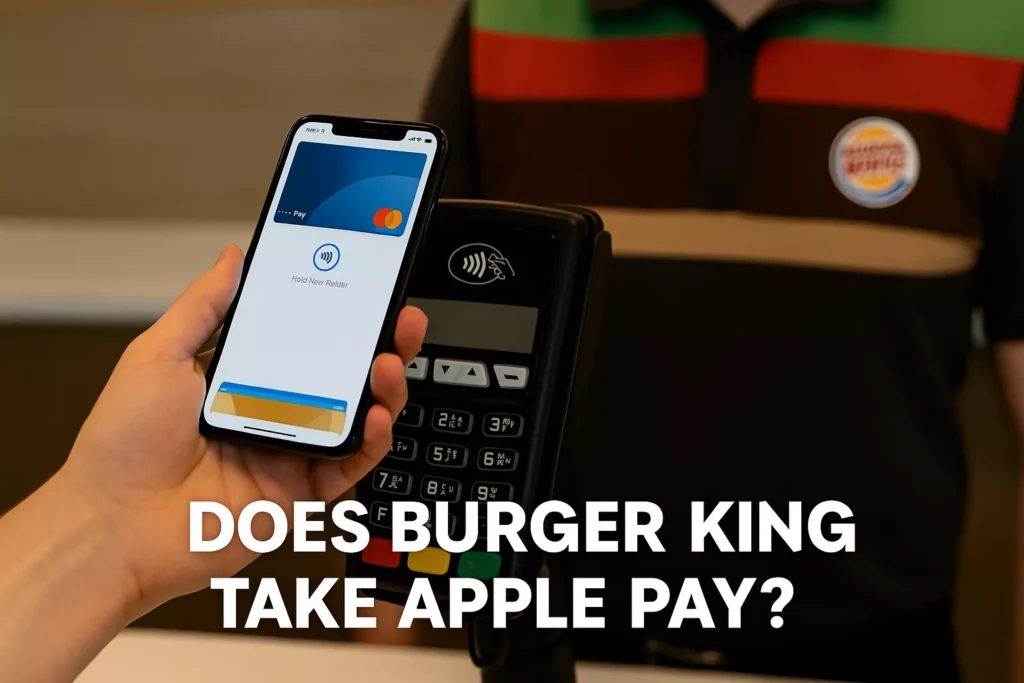
Yet, the answer isn’t a simple “yes” or “no”. While many Burger King locations do support Apple Pay, acceptance is still inconsistent, especially when it comes to drive‑thru lanes, franchised outlets and older payment terminals. Some customers report seamless transactions, while others face declined payments or have to switch to a card.
Does Burger King Accept Apple Pay in All Locations?
No, Burger King’s Apple Pay availability is not universal. Acceptance largely depends on:
- Whether the location is corporate-owned or franchised
- The presence of NFC-enabled payment terminals
- The type of payment environment (in-store, drive-thru, or kiosk)
While some Burger King restaurants fully support Apple Pay, others may reject it or lack compatible terminals, particularly at drive-thru windows.
Apple Pay at Burger King: In-Store vs. Drive-Thru
| Location Type | Apple Pay Support | Notes |
|---|---|---|
| In-Store Counter | ✅ Often supported | Most new terminals support NFC tap-to-pay. |
| Touchscreen Kiosks | ✅ Frequently compatible | Kiosks with Verifone hardware support contactless options. |
| Drive-Thru Windows | ⚠️ Inconsistent | Many drive-thrus lack NFC readers or have older tech. |
Pro Tip: For the best results, use Apple Pay inside the restaurant or on supported kiosks.
Does the Burger King App Support Apple Pay?
Yes — but inconsistently.
Burger King’s mobile app technically supports Apple Pay, but some users report issues. Here’s a breakdown:
| Payment Method in App | Status | Notes |
|---|---|---|
| Apple Pay | ⚠️ Mixed | Some users must switch to credit card or PayPal for successful payment. |
| Credit/Debit Cards | ✅ Stable | Widely accepted and reliable. |
| PayPal | ✅ Reliable | Burger King has a long-standing PayPal integration. |
| Cash on Pickup | ✅ Limited | Available for in-store orders only. |
Some customers note that they need to toggle payment methods within the app if Apple Pay doesn’t go through on the first try.
Why the Confusion? Corporate vs. Franchise Decisions
One reason for inconsistency is Burger King’s franchise-heavy model.
What’s the Deal?
- Over 90% of Burger King locations are independently owned franchises.
- While Burger King corporate may approve Apple Pay, franchises choose when and how to implement contactless tech.
- Franchisees decide on hardware upgrades like NFC terminals or Verifone kiosks.
This means your local Burger King may or may not accept Apple Pay — even if the one across town does.
RBI’s Contactless Investment Strategy
To modernize operations, Burger King’s parent company, Restaurant Brands International (RBI), announced in 2020 a major tech upgrade initiative:
- 🏗️ $30 million app investment: Improved payment systems, ordering UX, and rewards integration by 2024.
- 🖥️ Digital Menu Boards: Over 10,000 drive-thrus upgraded with NFC support.
- 🤝 Partnership with Verifone: Developed remote contactless payment solutions for drive-thru lanes.
- 💳 Focus on Apple Pay, Google Pay, and tap-to-pay credit cards.
Despite these investments, franchise-level rollout remains inconsistent into 2026.
Real Customer Experiences
Apple Pay Success Stories:
- “Used Apple Pay at the kiosk — worked perfectly.”
- “No issues paying inside with Apple Watch.”
Common Issues Reported:
- “Apple Pay declined at the drive-thru, had to use my card.”
- “Staff didn’t even know if Apple Pay was accepted.”
- “App showed Apple Pay option but payment failed.”
Verdict: Your mileage may vary. Always ask before ordering or carry a backup payment method.
How to Use Apple Pay at Burger King (When It Works)
- Double-click your iPhone or Apple Watch button.
- Hold your device near the NFC terminal.
- Wait for the checkmark and “Done” notification.
Tips:
- Make sure Face ID or Touch ID is set up.
- Confirm Apple Pay is enabled for the card you want to use.
- In drive-thrus, lean out closer to the terminal (if it exists).
Apple Pay vs Other Payment Methods at Burger King
| Payment Method | Availability | Pros | Cons |
|---|---|---|---|
| Apple Pay | ✅/⚠️ Mixed | Fast, secure, no card needed | Not accepted everywhere |
| Credit/Debit Cards | ✅ Universally accepted | Familiar, accepted in app & store | Card swipe risk |
| PayPal | ✅ App only | Convenient for PayPal users | Not available in-store |
| Cash | ✅ Everywhere | Guaranteed acceptance | Not usable in app or kiosk |
| Google Pay | ⚠️ Varies | Good Android alternative | Same franchise-level issues |
What Can Burger King Customers Do?
To ensure smooth payment, follow these tips:
- ✅ Check Google reviews or Apple Maps for store-specific Apple Pay info.
- ✅ Use in-store kiosks or pay at the front counter when possible.
- ✅ Ask staff before ordering if you’re using Apple Pay at drive-thru.
- ✅ Link backup payment options like credit cards or PayPal in the app.
The Future: Will Apple Pay Be Everywhere at Burger King?
That’s the plan — eventually.
Burger King has already invested in:
- Mobile-first technology
- Digital upgrades
- Universal contactless systems
But because many locations are independent franchisees, uniform Apple Pay support is still catching up.
Expect more kiosks, NFC readers, and app reliability improvements over the next few years.
FAQs: Apple Pay at Burger King
1. Does Burger King take Apple Pay in-store?
Yes, many locations with NFC terminals accept it in-store.
2. Can I use Apple Pay at the Burger King drive-thru?
Sometimes — it depends on the technology installed.
3. Does the Burger King app accept Apple Pay?
Yes, but payment success may vary by device and store.
4. Why doesn’t my Burger King accept Apple Pay?
It’s likely a franchise that hasn’t upgraded its terminals.
5. What’s the best way to know if Apple Pay is accepted?
Ask staff, check the payment terminal, or read reviews for that store.
6. Does Apple Pay work on Burger King kiosks?
Yes, especially at locations with Verifone-enabled touchscreens.
7. Is Apple Pay safer than using a physical card?
Yes. It uses tokenization and biometric verification.
8. What other digital wallets does Burger King accept?
Google Pay, PayPal (via app), and Samsung Pay in some areas.
9. Can I add Apple Pay to my BK app account?
Yes — you can select Apple Pay during checkout if supported.
10. Will Apple Pay work during promotions or deals?
Yes, if accepted, it applies the same as other payment methods.
11. Can I earn Burger King Royal Perks points with Apple Pay?
Yes, as long as the transaction goes through and your account is logged in.
12. Does Apple Pay work internationally at Burger King?
Depends on the country. Europe often supports it more consistently than the U.S.
13. Are there extra fees for using Apple Pay?
No — Apple Pay is free to use.
14. Can I split payment between Apple Pay and another method?
Not typically. Choose one method per transaction.
15. Do I need to show ID or card if I use Apple Pay?
No. Apple Pay transactions are verified via biometrics.
Final Verdict
Yes — but with caveats. Apple Pay is available at many in-store locations and kiosks, but drive-thru compatibility is still hit or miss.
As Burger King upgrades its infrastructure, Apple Pay support will become more consistent. For now, use it where available — but always keep a backup payment handy.
Related Posts: